Because Thanks! hits different with a little 🎉 next to it.
You’re drafting a quick email to a coworker, and plain text feels a bit flat. Should you drop in a 👍 or keep it formal? Using emoji in Outlook can make your emails warmer and more human but only if you know when, where, and how to use them without looking unprofessional.
A well-placed emoji can turn a routine email into a message people actually enjoy reading.
What do emoji in Outlook mean?
Emoji don’t just decorate a sentence they change how it’s read. In a workplace inbox, the same emoji can mean approval, warmth, or even sarcasm depending on context.
A 😊 after sounds good softens the tone. A lone 👍 can feel abrupt as the only reply. Meanwhile, ✅ is shorthand for task done in most Outlook threads, and 🎉 signals genuine excitement.
❤️ is trickier warm between close colleagues, but too personal in formal chains. 🙏 usually means thank you or please, while 🔥 has crept into work slang to mean great work.
| Emoji | Core meaning | Misread as | Best used when |
| 😊 | Friendly, warm tone | Overly casual | Greeting or closing a message |
| 👍 | Approval, acknowledgment | Dismissive if alone | Confirming a quick task |
| ✅ | Task completed | N/A | Project or checklist updates |
| 🎉 | Celebration, good news | Excessive enthusiasm | Wins, launches, milestones |
| ❤️ | Personal warmth | Too intimate for formal mail | Close team or personal notes |
| 🙏 | Gratitude, request | Passive-aggressive | Thank-yous or polite asks |
❤️ Red Heart Meaning: Deep warmth, appreciation, or personal connection. Example 1: Thanks for covering my shift ❤️ Example 2: So proud of this team ❤️
🙂 Slightly Smiling Face Meaning: Light friendliness without being over-the-top. Example 1: Sure, I can send that over 🙂 Example 2: Looking forward to it 🙂
👍 Thumbs Up Meaning: Quick approval or agreement. Example 1: Got it, will do 👍 Example 2: Sounds good to me 👍
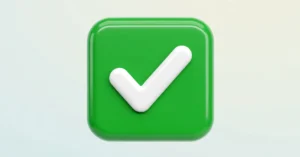
✅ Check Mark Button Meaning: Confirmation that something is done or approved. Example 1: Report submitted ✅ Example 2: Budget review complete ✅
🎉 Party Popper Meaning: Celebration of good news or achievement. Example 1: We hit our target 🎉 Example 2: Welcome to the team 🎉
🙏 Folded Hands Meaning: Gratitude or a polite request. Example 1: Thanks so much for your help 🙏 Example 2: Could you review this by Friday 🙏
😂 Face with Tears of Joy Meaning: Genuine laughter or shared humor. Example 1: That meeting story is too good 😂 Example 2: I felt that in my soul 😂
🔥 Fire Meaning: Something impressive or high-quality. Example 1: This deck looks 🔥 Example 2: Great pitch today, truly 🔥
💼 Briefcase Meaning: Work-related context or professional focus. Example 1: Back to business 💼 Example 2: New role, same energy 💼
👏 Clapping Hands Meaning: Recognition or applause for effort. Example 1: Well done on the launch 👏 Example 2: Huge win for the team 👏
How to use emoji in Outlook the right way
Outlook Desktop tends to be the most formal setting memos, client emails, and reports. Keep emoji minimal: a single 😊 or ✅ is usually enough.
Outlook on the web (OWA) suits quicker, day-to-day exchanges. A 👍 or 🎉 fits naturally in team threads or quick replies.
Outlook mobile app conversations feel closer to texting, so emoji can be more expressive here, since replies are shorter and faster.
Do:
- Use one emoji per message, placed at the end
- Match the emoji to your workplace’s existing tone
- Save expressive ones (🎉, 🔥) for good news or wins
Don’t:
- Stack multiple emoji in formal client emails
- Use emoji as your only response to a serious question
- Assume every recipient reads emoji the same way
Best emoji in Outlook combos copy & paste
Friendly greeting 👉 Hey there! 😊 a warm, low-pressure opener 👉 Good morning 🙂 light and welcoming 👉 Hope you’re doing well 😊 softens a cold email
Celebration / good news 👉 We did it 🎉👏 team win announcement 👉 Deal closed ✅🎉 quick celebratory update 👉 Huge congrats 👏🎉 recognizing someone’s success
Thank you / gratitude 👉 Thanks so much 🙏 polite, sincere close 👉 Really appreciate this ❤️🙏 for extra effort shown 👉 Couldn’t have done it without you 🙏 team gratitude
Follow-up / reminder 👉 Just checking in 😊 friendly nudge 👉 Quick reminder ✅ task or deadline follow-up 👉 Bumping this up 👍 polite re-send
End-of-day sign-off 👉 Talk tomorrow 🙂 casual close to a chat 👉 Wrapping up for today 👍 end-of-shift note 👉 Have a great evening 😊 polite closing line
Trending emoji in Outlook in 2026
Workplace emoji use keeps shifting as more teams treat email like chat. A few from the list above are showing up more often in everyday Outlook threads.
✅ is increasingly used as a full reply on its own, replacing done or confirmed. 🎉 shows up more in hybrid and remote teams celebrating wins without an in-person moment to mark them.
🔥 has moved from social media into workplace slang, used by younger employees and content-focused teams to praise strong work. 💼 appears in personal branding, like signature lines.
| Emoji | Why trending | Who uses it | Platform |
| ✅ | Faster, informal task confirmation | Project and ops teams | Outlook Web, Desktop |
| 🎉 | Remote celebration substitute | Hybrid and remote teams | Outlook Mobile, Web |
| 🔥 | Casual praise for good work | Younger employees, creatives | Outlook Mobile |
| 💼 | Personal branding in signatures | Professionals, freelancers | Outlook Desktop |
As more communication blends chat and email habits, emoji use in tools like Outlook may keep evolving alongside how teams naturally talk to each other.
FAQ
What is the most popular emoji in Outlook?
😊 and 👍 are the most commonly used, since they’re friendly, brief, and low-risk in most workplace conversations.
What does 👍 mean from a coworker vs a manager?
From a peer, it usually means quick agreement. From a manager, it can read as approval, though some prefer a written reply for formal decisions.
Why do emojis look different on iPhone vs Android?
Each operating system uses its own emoji design set, so the same emoji can look slightly different depending on the device it’s viewed on.
Are emoji in Outlook used differently in other countries?
Yes emoji frequency and formality vary by workplace culture, with some regions favoring minimal emoji use in professional email and others embracing it more openly.
Conclusion
A well-placed emoji in Outlook can make a routine email feel more human, without costing you professionalism.
The key is reading the room, your team, your platform, and your recipient. Used thoughtfully, emoji don’t replace clear communication; they simply make it warmer.
Read More Posts!
- What Does Really Mean? Eyebrow Emoji Decoded
- Crying Emoji Meaning You’ve Been Getting Wrong
- Pointing Emoji Meaning: What Really Says

Hi, I’m Lena Foster, a symbolism expert and content writer for Symboliism.com. I specialize in explaining the meanings behind symbols, numbers, and signs in a simple, engaging way. I love turning complex spiritual and cultural symbolism into clear, easy-to-read guides that help readers understand the messages around them.